









A huge win for Queues App users has started to hit tenants, Having the ability to have Shared Call History for your Queues so Agents can see all missed calls destined for the queue and action them accordingly is here.
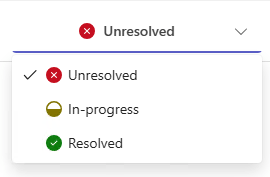
Agents can tag missed calls as:
- Unresolved (Default)
- In Progress
- Resolved
Below is a screenshot from the Teams Client where the Calls Tab will show all missed calls for the Queue, agents will easily be able to tell what has been dealt with by another agent by the status messages next to the missed call.
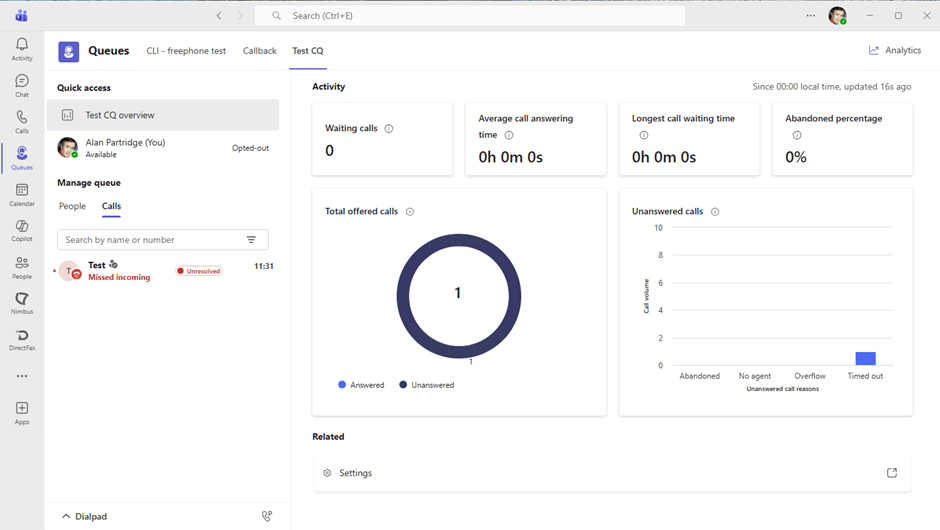
As the missed call moves through its different stages once picked up by an agent it’ll give indication to everyone in the queue that this call is being handled/resolved.

How to Set It Up.
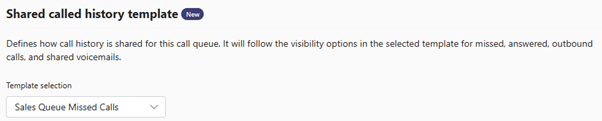
To enable this for a Call Queue you’ll need to head over to the Teams Admin Center and create a “Shared Call History” template. Templates and resources – Microsoft Teams admin center.
This then needs to be assigned to the Call Queue you would like to have Shared History on.
I believe this feature will start to bridge that gap between Contact Center and the Queues App, this was missing for some of my customers and keeping them away from Queues App.
However, it seems this functionality is directly linked to the Queues App, meaning to be able to see this call history agents all agents required to see it will need to be licensed with the Teams Premium License. Would this push you over to using Microsoft Teams Premium?
Zach Bennett is Microsoft Teams MVP and Principal Architect at LoopUp.
To comment view the article on LinkedIn.